


Author
Julia Haleniuk
Articles
36 articles
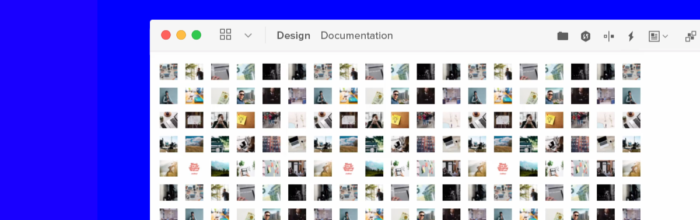
Big Performance Boosts – What’s New in UXPin?
We're improving our tool so that you can work better and faster. Here's our update on what changes in UXPin from now on.

Join our free webinar “Scaling design with DesignOps2.0”
Scale designs in your enterprise! Watch how Erica from PayPal scales her designs and which best practices you could also implement.

Bringing a crazy design idea from prototyping to real-life with confidence
A short story of client shows how easily and confidently you can bring your prototypes to real-life - even if the design is extremely complex.

Free and seamless collaboration for cross-functional teams
Unlike other design tools on the market, such as InVision, comments in UXPin let you gather feedback right at the spot from anyone even if they don’t have an account. Read more about collaboration fearutes in UXPin.

Creative Pop-up Examples Done Right
Pop-ups are one of the most popular design patterns. That’s why we’ve put together some examples of pop-ups done right.

What We Brought to UXPin Over the Last Months
We’ve been busy making improvements to UXPin! Part of a comprehensive roadmap to bring our customers the best experience possible.

What’s New in UXPin 2.5
The UXPin 2.5 release brings Comments to the Editor! You can now leave and reply to feedback as you work on the design. We’re introducing the option to set different canvas sizes for each Page.

We’re Leaving Spectrum
Thank you for being part of our Community on Spectrum for over a year. There wouldn’t be us if it wasn’t for you!
See What to Expect in UXPin 2.5
We’ve been busy making changes and improvements to UXPin! Part of a comprehensive roadmap to bring our customers the best experience possible.

UXPin Tips and Tricks You Need to Know – Part 3
A collection of quick UXPin tips and tricks that will make your time with our software more streamlined.

How Can You Master Remote Work with UXPin
Work from home, they said. It’s going to be great, they said. Love it or hate it, but remote work is more feasible now than ever.

See What’s New in UXPin 2.4
Get excited about all the new changes in UXPin 2.4! See how we improve our product and introduce new things.

New features and updates in UXPin 2.3
See all the new changes in UXPin 2.3! We always aim to bring best experience for our customers with the new features.

See what’s new in UXPin 2.2
Check out all the new changes in UXPin 2.2! Part of a comprehensive roadmap to bring our customers the best experience possible.

See what’s new in UXPin 2.1
UXPin 2.1 brings the list of awesome improvements like elastic boxes and buttons that expand as you type! Discover everything that’s new!