

Author
Ben Gremillion
Articles
70 articles

Design Systems Are What’s Next. Is Your Team On Board?
Design systems give teams a better approach to design practices. But leading them to success requires some thoughtful persuasion.

Deal With It: Break Established Design System Rules and Integrate the Results
Design systems are products that enforce consistency while expediting development. But the default patterns don’t always cover every case — so they must adapt.

How to Use Minimal Design to Create Practical Design Systems
Like any project that involves UX, design systems must solve people’s pain points, like being able to find the right widget under deadline pressure. Here’s how it works.
Tweak Your Buttons for a Design System With Some Leeway
Especially in hi-fi prototypes where the nuance between “save” and “submit” is fuzzy at best, you should customize buttons to fit your meaning.

Simulating Data-sorting in Prototypes Adds Interaction Where It’s Needed
While UXPin won’t sort data on your behalf, you can create a “sortable” table, if you don’t mind rearranging a few elements.

How to Write Killer Copy That Improves Your Design Systems
Documentation may sound like a chore, but it’s a vital part of creating a design system. And it doesn’t have to be a monotonous time-sink. Refer to these notes as you write yours.

Don’t Settle for Default Radio Buttons — Make ’em Your Own
Not all radio buttons are created equally. Some have custom looks and styles. Here’s one approach to creating your own radio buttons in UXPin.

Beware Sloppy Shortcuts — Use Design Systems to Keep Code on Track
Shortcuts are great — in moderation. Don’t let sloppy dev workmanship degrade your digital products. Instead, get code from the source.

Hide the Right Functions With Custom Drop-down Lists
Drop-down lists that appear on hover are a great way to hide options until they’re needed. A handy technique to make them work in UXPin: group ’em twice.

How to Find Your Team’s Design Assets in a Hurry (Hint: it’s More Than a Name Game)
Design systems do more than provide visual and interactive style guides to which teams should adhere. They also make their contents easy to find. After all, UX doesn’t just apply to non-designers.

Do Your Future Self a Favor: Don’t Bust the Grid
Although UXPin doesn’t export code, it has a customizable grid that’s analogous to those found in popular CSS frameworks. Here’s how it works.
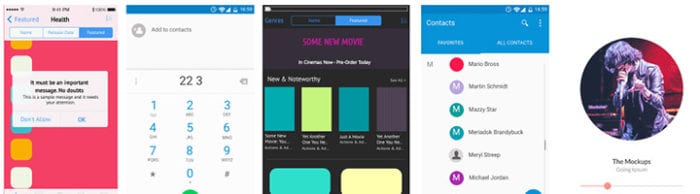
Take Advantage of Complex, Pre-built Elements in Design Systems
UXPin has basic shapes like boxes, arrows, and circles — the basic elements. It also has whole sets you can use as starting points for your design systems.

Tips on Asking for Feedback
“What do you think?” often results in bland, unhelpful, and off-topic comments. Here are some tips to get great feedback that moves projects forward.
How to Prepare for the Freelance Design Life
Going freelance is a risky business. Designers who want to switch from full-time to independent work face many hurdles, some of which begin long before the designers are prepared.
How to Make Expanding Buttons
Making buttons change color on hover is easy — and overused. Buttons that swell as people interact with them have a little extra “wow” factor.