

Why AI-Generated UI Breaks Your Design System (and How to Fix It)
AI builders are fast, but their output rarely uses your components. Here's why that happens, what it costs your team, and how to get AI-generated apps that stay on-brand.
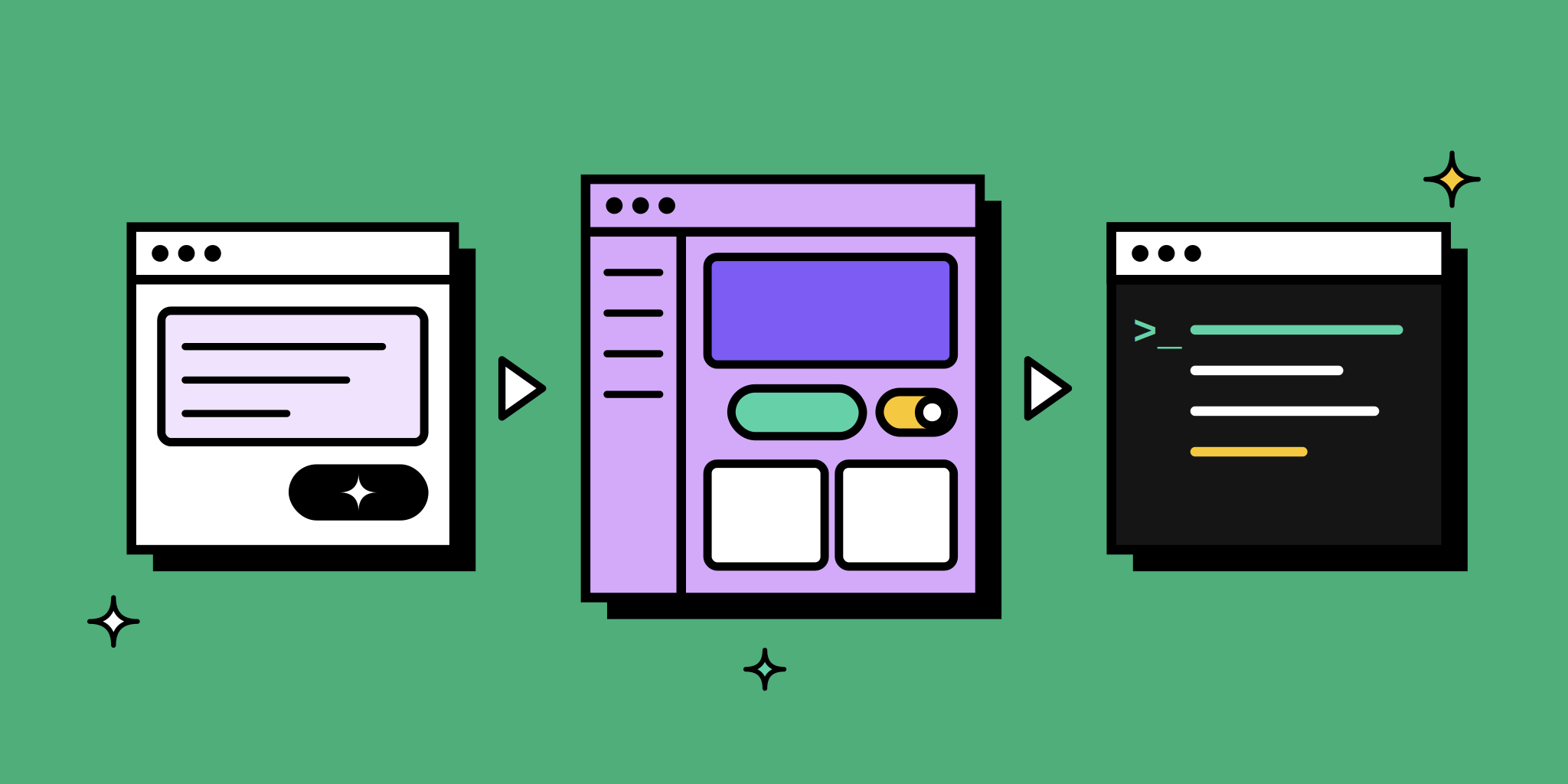
Someone on your team types a prompt into an AI builder and gets a working dashboard in two minutes. It looks good in the demo. Then it reaches the design system team, and the problems start: buttons that don’t exist in your library, spacing that ignores your tokens, a custom table instead of the one your developers maintain.
The prototype was fast. Making it usable takes another sprint.
This article explains why AI-generated UI drifts from your design system, what that drift costs, and what a workflow that avoids it looks like.
Why AI Output Goes Off-Brand
Most AI app builders start from a text prompt and nothing else. They don’t know your component library, so they invent one on the spot.
- No access to your components. The AI writes its own buttons, inputs, and cards. They may look close to yours, but they are new code.
- No knowledge of your props. Your
Buttonmight only allow three variants. The AI doesn’t know that, so it creates a fourth. - No naming conventions or documentation. Generated code uses its own structure, which developers then have to map back to yours.
Better prompts help with the look, but they can’t make a tool use components it doesn’t have.
What the Drift Costs Your Team
Off-brand output rarely gets shipped as is. It turns into extra work in three places:
- Review rounds. Designers spend time pointing out what doesn’t match instead of reviewing the actual idea.
- Rebuilds. Developers treat the AI output as a reference and rebuild it with real components. The speed you gained at the start is gone.
- Quiet inconsistency. When nobody has time for the rebuild, one-off components slip into production and the design system slowly loses its value.
The issue isn’t AI itself. It’s AI that works outside your system.
What a Better Workflow Needs
If you want AI speed without the cleanup, the tool you use has to meet a few conditions:
- It generates with your real components, not lookalikes.
- It respects your rules: props, variants, naming, and documentation.
- It produces code developers can run, not a picture of an app.
- It lets you edit the code directly when a prompt is slower than a quick fix.
- It’s easy to share so feedback happens before engineering, not after.
How UXPin Wire Solves It

UXPin Wire is an AI app builder built around this problem. Instead of starting from a blank prompt, it starts from your component library.
- Your library, nothing else. Pick shadcn/ui, MUI, Ant Design, or Bootstrap, or connect your own React library through UXPin Merge. Wire generates only with those components.
- Your rules from the first prompt. With a library connected via Merge, Wire follows your prop rules, naming conventions, and documentation, so there’s no correction round.
- Code you can edit. A full code editor stays in sync with the live preview.
- A real project at the end. Developers get a structured React project with components, hooks, routing, and styles.
Wire is powered by Forge, UXPin’s AI.
Example: From Prompt to Handoff
Here’s what the workflow could look like for a product team building an internal dashboard for tracking test results.
1. Start from what you have
The team already has their component library connected through Merge. They open Wire, select it, and start from existing screens in UXPin instead of a blank page.
2. Describe the app
The prompt is specific: “A dashboard for tracking test results with charts, filters, and navigation.” Wire builds the screens with the team’s own components, so the table, filters, and navigation are the same ones used in production.
3. Refine with prompts and code
The PM asks for a filter by date range. A developer fixes a label directly in the code editor. Both changes show up in the live preview.
4. Share and collect feedback
The team shares a link with stakeholders. Anyone can click through the app without a UXPin login, so feedback comes in before engineering starts.
5. Hand off working code
Developers export the project and run it with npm install and npm run dev. Since it already uses their components, they connect it to real data instead of rebuilding the UI.
A Quick Checklist for Any AI Builder
Before your team adopts an AI app builder, ask these questions:
- Can it use our component library, or only its own?
- Does it follow our props and variants, or just match the visual style?
- Can developers run the output as a project, or only copy snippets?
- Can we edit the code directly?
- Can stakeholders review it without creating accounts?
If most answers are “no”, the time you save on generation will come back as review and rebuild work.
Keep AI On-Brand With Wire
AI can speed up the path from idea to working product, as long as it works inside your design system. Wire starts from your components, so the first output is already something your developers can use.
Try Wire for free and build your next app with your own component library, or browse the showcase and remix a ready-made app.
Frequently Asked Questions
Why do AI app builders ignore my design system?
Most AI builders generate their own markup and styles from a text prompt. They have no access to your component library, props, or naming conventions, so the output only looks similar to your product.
Can I fix off-brand AI output with better prompts?
Prompts can get the look closer, but they can’t make a tool use components it doesn’t have. Consistency comes from connecting the builder to your real library.
How does UXPin Wire keep AI output on-brand?
Wire generates only with the component library you choose: shadcn/ui, MUI, Ant Design, Bootstrap, or your own React library connected through UXPin Merge. It follows your props, naming conventions, and documentation.
What do developers get from Wire?
A structured React project with components, hooks, routing, and styles that runs with npm install and npm run dev.
Does Wire support a backend?
Not yet. Backend support is on the roadmap.